 Unpaged
See it in action
One tap from page to eBook
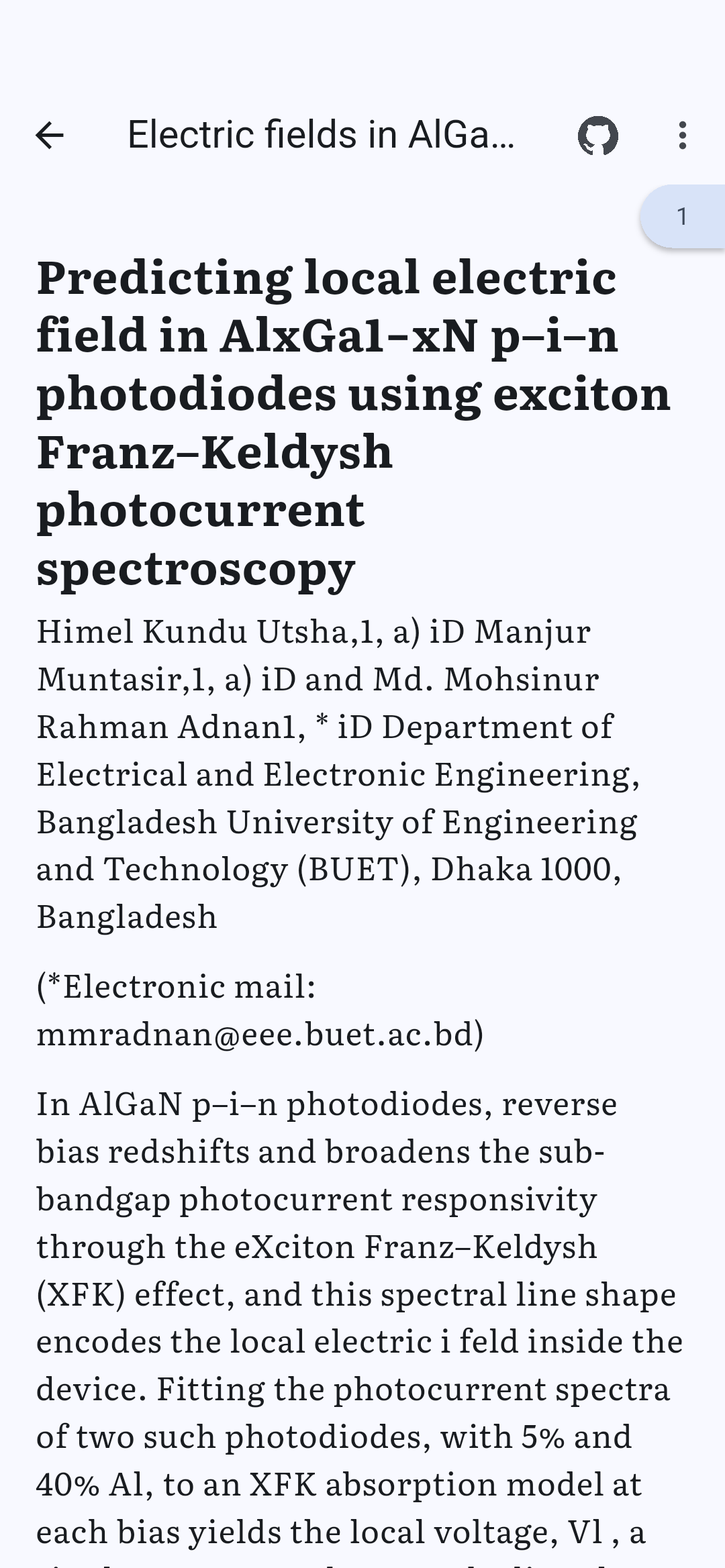
Open a two-column paper, tap the eBook button, and read. Figures stay exactly as they were in the original.
Features
Made for papers, textbooks and technical documents
Unpaged understands the layout of a page: columns, headings, captions and the parts that are not text.
eBook mode
PDFs with a text layer are reflowed like an eBook, completely offline, including two-column layouts.
Clean reading flow
Reading order across columns, running headers and page numbers removed, hyphenated words joined again.
Figures stay sharp
Tables, figures and formulas are shown as crops of the original page. Tap to zoom.
Original view
The PDF exactly as published, with smooth zooming. Switch views with one tap.
Your reading settings
Literata, Atkinson Hyperlegible or the system font, text size, line spacing, light, dark and sepia.
Highlights and notes
Mark text and add notes in both views. They stay in the app; your PDF is never changed.
Library with progress
Continue where you stopped. Import with the file picker, “Open with” or “Share” from any app.
Share and print
Hand the original PDF to any app or printer, only when you choose to.
Screenshots
A closer look
Private by design
Your documents never leave your phone
Unpaged does not even have permission to access the internet. There is nothing to sign up for and nothing that phones home.
- No network access
- No account, no ads
- No analytics, no crash reporter
- Open source: check it yourself
Good to know: scanned PDFs without a text layer open in the original view, but cannot be reflowed, because Unpaged does no text recognition (OCR).